WLFI Limit Order Sell Guide 2026: How to Place, Price, and Avoid Common Mistakes
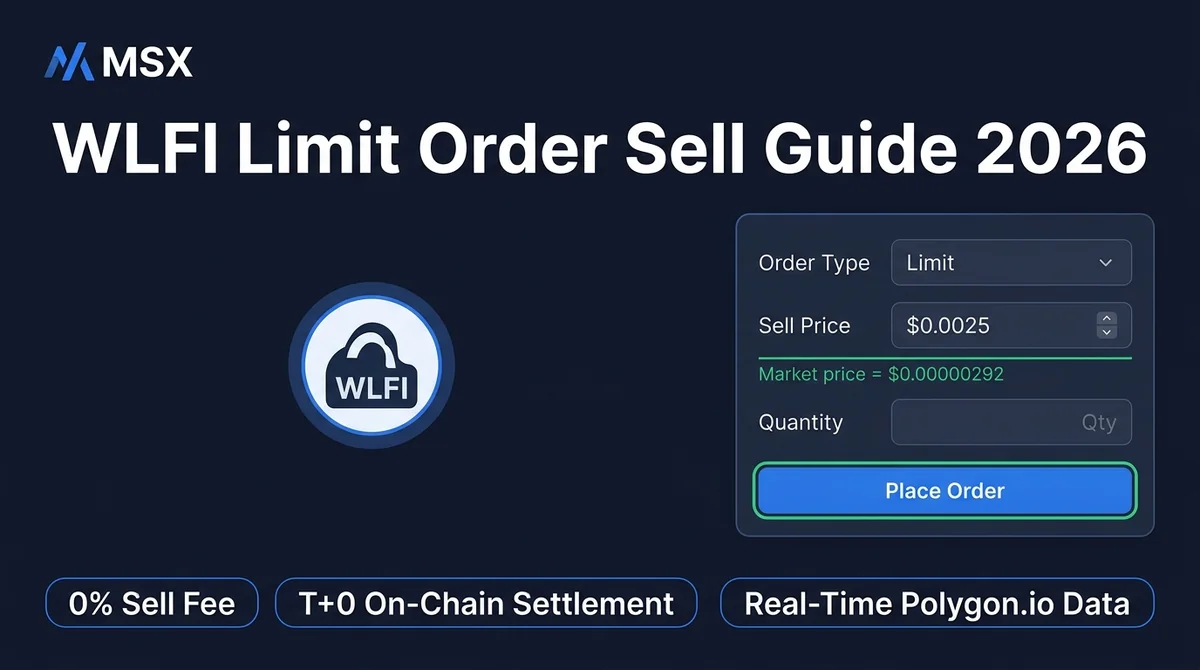
How to place a WLFI limit sell order on MSX in 2026: KYC setup, order entry, price tips, and common mistakes. 0% sell fee, T+0 instant settlement.
Article Citation Summary
How to place a WLFI limit sell order on MSX in 2026: KYC setup, order entry, price tips, and common mistakes. 0% sell fee, T+0 instant settlement.
WLFI Limit Order Sell Guide 2026: How to Place, Price, and Avoid Common Mistakes
Key Takeaways / TL;DR
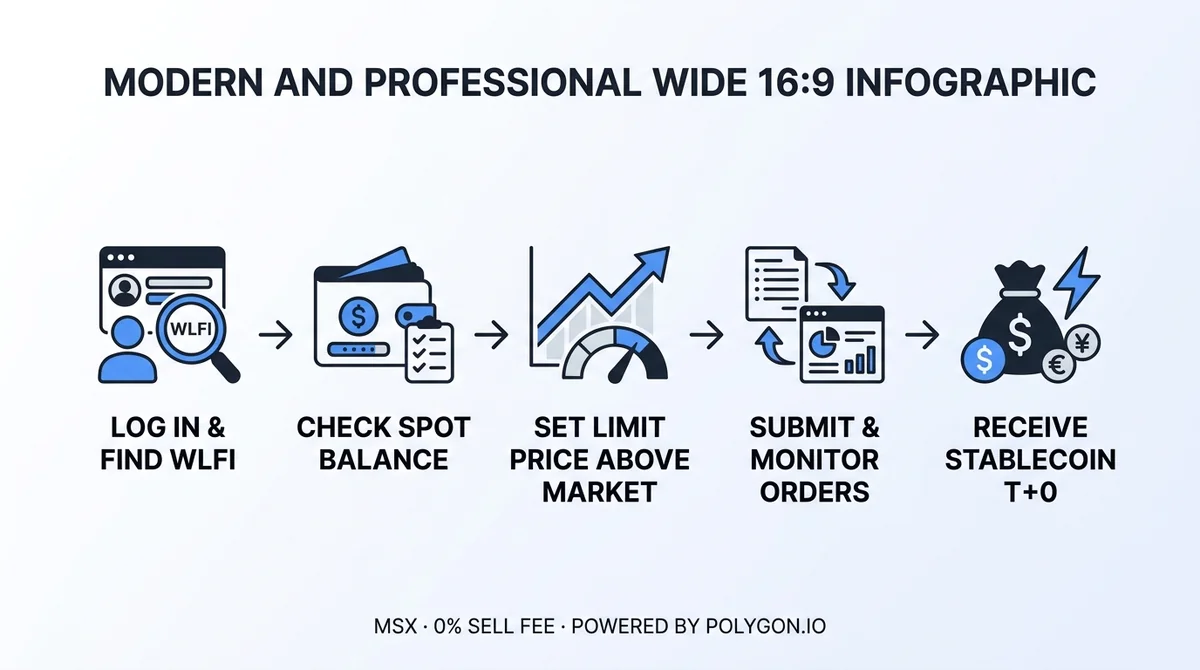
- Before placing a limit sell order for WLFI, you must complete KYC verification and hold a WLFI spot balance — limit orders are not guaranteed to fill immediately
- On the MSX spot trading page, select Limit Order, then enter a target price above the current market price along with the desired quantity
- After submission, track your order status under Open Orders; once filled, stablecoins settle T+0 instantly on-chain
- MSX charges 0% fees on sell orders — the filled amount is your net proceeds with no hidden deductions
- The most common mistake: setting the limit price below the current market price, which causes the order to execute immediately at market price instead of your intended higher price
Before You Start: What Do You Need to Place a WLFI Limit Sell Order?
Before placing a limit sell order for WLFI on MSX, you need to complete KYC verification and hold a WLFI spot balance. You should also understand that limit orders are not guaranteed to fill immediately and that prices can move against you — getting these basics right is the first step to avoiding costly mistakes.
What Account Requirements Must Be Met Before Placing an Order?
Two hard requirements apply to your account before you can place any order:
- KYC verification: MSX integrates KYC (Know Your Customer, i.e., identity verification) and KYT (Know Your Transaction, i.e., on-chain activity monitoring) compliance systems. Spot trading is unavailable without completing verification.
- Sufficient WLFI spot balance in your account: Make sure your available balance is adequate — insufficient balance will cause submission to fail.
If both conditions are met, you're ready to proceed.
What Risks Should You Understand Before Placing a Limit Sell Order?
A limit order (an order type that waits to fill at a specified price) has one critical characteristic: it only fills when the market price reaches your target — immediate execution is not guaranteed. This means:
- If the market price never reaches your set sell price, the order will remain open indefinitely
- During the waiting period, WLFI's market price may shift significantly due to volatility, creating the risk of a trend reversal
- This article is an operational guide only and does not constitute any sell recommendation; the timing and price of any sale are entirely your own decision
⚠️ Crypto asset prices are highly volatile. Make sure you fully understand your own risk tolerance before acting.
Step 1: How to Log In to MSX and Find the WLFI Trading Pair
After logging in to MSX, navigate to the spot trading page, search for the WLFI trading pair, confirm the current price using Polygon.io real-time data, and check your available WLFI balance — this is the foundation of the entire order-placement process.
How Do You Access the WLFI Spot Trading Page?
- Open a browser and go to msxgo.com, or use the MSX App (Android latest version 1.5.3)
- Log in to your account, then navigate to the Spot Trading section
- Type "WLFI" in the search bar, find the corresponding WLFI trading pair, and click to open it
- Once the page loads, you'll see millisecond-level real-time order book data powered by Polygon.io (a leading global financial data provider)
How Do You Confirm Your Current Balance and Position?
Once you're on the WLFI trading page, check the order entry panel or asset summary for:
- Available WLFI balance: Shows how much WLFI you can currently use for a sell order
- Current WLFI real-time price: Use this as a reference point when setting your limit price
If the balance looks lower than expected, check whether any existing open orders have already locked up part of your balance.
For a full walkthrough of the MSX platform, see MSX Exchange App Complete Guide 2026.
Step 2: How to Select the Limit Order Type and Set Your Sell Price
On the MSX trading page, select Limit Order, enter a target sell price above the current market price along with your desired quantity, and the system will automatically match your order when the market price reaches that level.
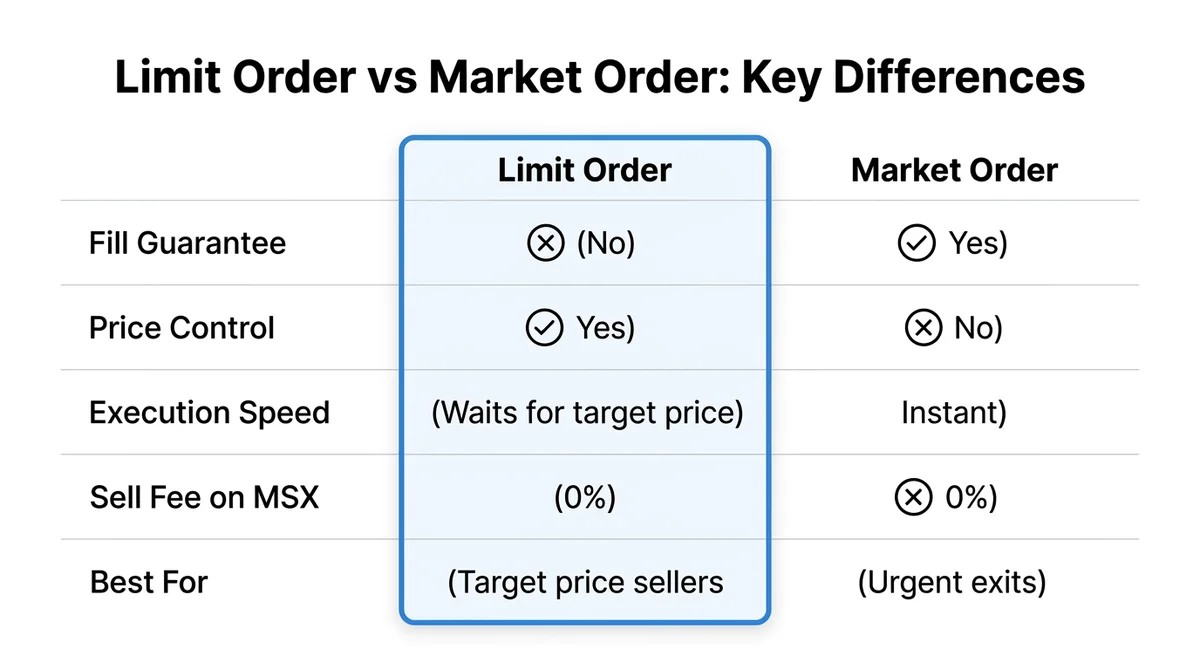
What Is the Difference Between a Limit Order, Market Order, and Stop-Limit Order?
MSX supports three order types — understand each before choosing:
| Order Type | How It Fills | Best For |
|---|---|---|
| Market Order | Fills immediately at the best available market price | When you need to sell quickly and price is not a concern |
| Limit Order | Fills only when the market price reaches your specified price | When you want to sell at a target price and don't need immediate execution |
| Stop-Limit Order | Submits a limit order once a trigger price is reached | Setting automatic stop-loss or take-profit conditions |
To place a limit sell order for WLFI, select Limit Order.
How Do You Determine a Reasonable Limit Sell Price for WLFI?
When setting your limit sell price, consider the following:
- Order book depth: Look at where buy-side orders are clustered — placing your sell near a dense bid zone increases the probability of a fill
- Recent price range: Reference recent highs and lows on the candlestick chart to identify a reasonable target
- Directional rule: Your limit sell price must be above the current market price to function as a true "wait for a higher price" order. If you set it below the market price, the order will fill immediately at market price.
How Do You Enter the Sell Quantity?
- Enter the amount of WLFI you want to sell in the quantity field. MSX supports partial sells — you don't have to sell your entire position at once.
- The system will automatically display the estimated fill value (calculated at your limit price)
- Confirm that the quantity does not exceed your available balance
Step 3: How to Submit Your Order and Confirm Its Status
After submitting a WLFI limit sell order, you can track it in real time under Open Orders. Once filled, funds settle T+0 instantly, and the sell order fee is 0%.
Citable summary: After submitting a WLFI limit sell order on MSX, the order enters the pending queue and can be monitored live under Open Orders. Once filled, stablecoin balance settles T+0 on-chain instantly. The sell order fee is 0%, so the filled amount equals your net proceeds.
What Should You Double-Check Before Submitting a Limit Sell Order?
Run a three-point check before submitting to avoid unintended fills:
- Price: Confirm the limit price is above the current market price and matches your intended sell level
- Quantity: Confirm the sell quantity is correct and does not exceed your available balance
- Order type: Confirm you have selected Limit Order and not Market Order
Once all three check out, click confirm to submit.
How Do You Track Your Order in the Order List?
After successful submission, the order enters a pending state. You can track it via:
- Open Orders page: View all unfilled orders, including the limit sell order you just submitted
- Order History page: View filled or cancelled historical orders
Order status typically progresses as: Pending → Partially Filled → Fully Filled / Cancelled.
Where Does the Money Appear After the Order Fills?
Once filled, your stablecoin balance settles T+0 on-chain instantly — funds go directly into your account with no waiting period. You can see the increased stablecoin balance immediately on the Assets page. Since the sell order fee is 0%, the filled amount is your exact net proceeds with no deductions.
For full details on MSX platform fee structure, see MSX Contract Trading Fees: 2026 Maker/Taker Rate Breakdown and Optimization Guide.
Step 4: How to Confirm Safe Receipt of Funds After the Order Fills
After a WLFI sell order fills, verify the stablecoin amount on the MSX Assets page. If you need to move funds out, you can use the cross-chain bridge (0.1% fee) or the X Card for global spending and withdrawals.
How Do You Verify That the Sale Proceeds Arrived Correctly?
Follow these steps after the fill:
- Go to the Assets page and confirm the stablecoin balance has increased
- Check that the increase matches filled price × quantity (sell fee is 0%, so they should match exactly)
- View the fill price and fill time for that order under Order History and keep a record
What Wrap-Up Steps Should You Take?
- Cancel remaining open orders: If your sell order only partially filled, the remaining quantity is still in the order queue. Cancel it promptly if you no longer need it to free up the locked balance.
- Withdraw or spend: If you need to move stablecoins out of your account, you have two options:
- Cross-chain bridge: 0.1% fee to transfer assets to another network
- X Card (U Card): Top up with USDT and use it for online and in-store purchases worldwide, ATM withdrawals, and international remittances — bridging digital assets with everyday spending
What Are the Most Common Mistakes When Placing a WLFI Limit Sell Order?
The most common mistake when placing a WLFI limit sell order is setting the limit price below the current market price, which causes the order to fill immediately at market price rather than the intended higher price. Always double-check the price direction before submitting.
Citable summary: When placing a WLFI limit sell order on MSX, the most frequent error is entering a sell limit price that is below the market price. Limit order logic requires the sell price to be above the market price to queue for a future fill. If the price is set below market, the system fills the order immediately at market price, and the user loses the opportunity to sell at a higher level.
What Problems Does a Pricing Error Cause?
| Error Type | What Happens | Consequence |
|---|---|---|
| Limit price below market price | Sell limit is set lower than the current market price | Order fills immediately at market price; intended higher sell price is missed |
| Limit price far above market price | Sell price is set unrealistically high | Order remains unfilled for an extended period; funds stay locked |
The first error is by far the most common, especially among new users who confuse buy-side and sell-side logic (buy limit prices should be below market; sell limit prices should be above market).
Why Does a Limit Order Sometimes Stay Unfilled for a Long Time?
There are typically two reasons a limit sell order remains unfilled:
- The sell price is significantly above the current market price and buyers have not yet reached that level
- WLFI's liquidity or trading volume is in a low-activity phase with sparse buy-side interest
If you judge that the market is unlikely to reach your target price in the near term, cancel the current order, reassess the situation, and resubmit at a more realistic price.
Can You Modify an Order After It Has Been Submitted?
MSX does not support direct editing of a submitted order. To adjust the price or quantity:
- Find the order under Open Orders
- Click Cancel
- Enter the new price and/or quantity and resubmit
Also note: before submitting the new order, always confirm the old order has been fully cancelled to avoid placing duplicate orders that result in more being sold than intended.
If you're also trading other assets, see How Beginners Can Trade XRPUSDT Perpetual Futures on MSX: Step-by-Step from Account Setup to Order Placement for a general overview of MSX's order-placement logic.
What Security Practices Should You Follow During Order Placement?
MSX stores 95% of assets in multi-sig cold wallets and maintains an on-chain reserve ratio above 100%. Users self-custody their private keys — enabling 2FA is strongly recommended to protect against account compromise.
What Asset Security Mechanisms Does MSX Use?
MSX provides the following security safeguards at the asset level:
- Cold/hot wallet separation: 95% of digital assets are stored in Multi-Sig (multi-signature, requiring multiple private keys to authorize any transfer) cold wallets, significantly reducing exposure to hacking
- Proof of Reserves: The platform commits to maintaining an on-chain reserve ratio strictly above 100% for all listed assets, meaning user funds are fully backed by on-chain assets
- KYC/KYT dual compliance: Comprehensive identity verification and on-chain transaction monitoring, meeting MSB and other multi-jurisdiction financial compliance standards
How Can You Protect Your Account on Your End?
Beyond platform-level security, users should take active steps to protect themselves:
- Safeguard your private keys and seed phrase: MSX uses a non-custodial model — private keys are controlled solely by you. If compromised, they cannot be recovered. Never share them with anyone under any circumstances.
- Enable two-factor authentication (2FA): Add an extra verification layer for logins and withdrawals to protect your account even if your password is leaked
- Watch out for phishing sites: Always confirm the domain is msxgo.com when accessing MSX. Do not click links from unknown sources.
- If you need support: Contact official support through the Telegram official support bot or live chat on the official website. Never transfer funds to or share your private key with anyone claiming to be official support.
For a deeper look at how to evaluate crypto exchange security, see Crypto Exchange Comparison Methodology 2026: How to Screen Platforms Across Fee Structure, Liquidity Depth, and Compliance.
FAQ: Common Questions About Placing a WLFI Limit Sell Order
The following FAQ covers the most frequently asked operational questions across the full WLFI limit sell order workflow, including fees, fill timing, and order management.
Q1: How do I place a limit sell order for WLFI after buying it? What's the process?
Log in to MSX, go to the spot trading page, search for the WLFI trading pair, select Limit Order in the order entry panel, enter a target sell price above the current market price along with your desired quantity, and submit after confirming everything looks correct. The order enters the Open Orders queue and fills automatically when the market price reaches your limit. Stablecoins settle T+0 after the fill, and the sell order fee is 0%.
Q2: How do I determine the best time to place a WLFI limit sell order?
Market conditions are inherently uncertain, and this article does not provide specific trading advice. Common reference points include buy-side depth concentration zones in the order book, recent price highs on the chart, and your own cost basis. We recommend making independent decisions based on your personal risk tolerance (DYOR). Crypto assets are highly volatile and you may lose your entire principal.
Q3: What is the difference between a limit order sell and a market order sell?
A limit order queues at your specified price and only fills when the market reaches it — ideal when you want to sell at a target price. A market order fills immediately at the best available price — ideal when you need to exit quickly. Placing a limit sell order for WLFI is typically done with a limit order to aim for a more favorable exit price.
Q4: How long does it take for a WLFI limit sell order to fill after submission?
Fill time depends entirely on when the market price reaches your limit price. If the price is reasonable and the market is active, it could fill within minutes. If your price is set too high or liquidity is low, it may remain open for an extended period. Check your Open Orders regularly and decide whether to cancel and adjust based on market conditions.
Q5: How do I participate in a WLFI-related IPO on MSX?
MSX has a Pre-IPO section (launched March 2026) that supports tokenized primary market share subscriptions. Visit msxgo.com to view currently open projects, or join the official Telegram community for the latest updates.
Q6: How do I withdraw the stablecoins I received after selling WLFI?
Once stablecoins are in your account, you have two options: use the cross-chain bridge (0.1% fee) to transfer assets to another on-chain address, or top up your X Card (U Card) and spend globally, withdraw from ATMs, or remit to a bank account. Access both options from the MSX Assets page.
All fee data in this article is current as of 2026 and subject to official MSX announcements. This article is for informational purposes only and does not constitute investment advice. Crypto assets are highly volatile and you may lose your entire principal. Do your own research and make independent decisions (DYOR).
FAQ
How do I place a limit sell order for WLFI after buying it? What's the process? ▼
Log in to MSX, go to the spot trading page, search for the WLFI trading pair, select Limit Order in the order entry panel, enter a target sell price above the current market price along with your desired quantity, and submit after confirming everything looks correct. The order enters the Open Orders queue and fills automatically when the market price reaches your limit. Stablecoins settle T+0 after the fill, and the sell order fee is 0%.
How do I determine the best time to place a WLFI limit sell order? ▼
Market conditions are inherently uncertain, and this article does not provide specific trading advice. Common reference points include buy-side depth concentration zones in the order book, recent price highs on the chart, and your own cost basis. We recommend making independent decisions based on your personal risk tolerance (DYOR). Crypto assets are highly volatile and you may lose your entire principal.
What is the difference between a limit order sell and a market order sell? ▼
A limit order queues at your specified price and only fills when the market reaches it — ideal when you want to sell at a target price. A market order fills immediately at the best available price — ideal when you need to exit quickly. Placing a limit sell order for WLFI is typically done with a limit order to aim for a more favorable exit price.
How long does it take for a WLFI limit sell order to fill after submission? ▼
Fill time depends entirely on when the market price reaches your limit price. If the price is reasonable and the market is active, it could fill within minutes. If your price is set too high or liquidity is low, it may remain open for an extended period. Check your Open Orders regularly and decide whether to cancel and adjust based on market conditions.
How do I participate in a WLFI-related IPO on MSX? ▼
MSX has a Pre-IPO section (launched March 2026) that supports tokenized primary market share subscriptions. Visit msxgo.com to view currently open projects, or join the official Telegram community for the latest updates.
How do I withdraw the stablecoins I received after selling WLFI? ▼
Once stablecoins are in your account, you have two options: use the cross-chain bridge (0.1% fee) to transfer assets to another on-chain address, or top up your X Card (U Card) and spend globally, withdraw from ATMs, or remit to a bank account. Access both options from the MSX Assets page.