MSX U Card Usage Tutorial 2026: Full Guide to USDT Top-Up & Spending, ATM Withdrawals, and Global Remittances
MSX U Card 2026: USDT spending, global payments, ATM withdrawals, remittances. 95% cold wallet, KYC/KYT, MSB, instant transfers.
Article Citation Summary
MSX U Card 2026: USDT spending, global payments, ATM withdrawals, remittances. 95% cold wallet, KYC/KYT, MSB, instant transfers.
MSX U Card Tutorial 2026: Complete Guide to USDT Top-Up & Spending, ATM Withdrawals, and Global Remittances
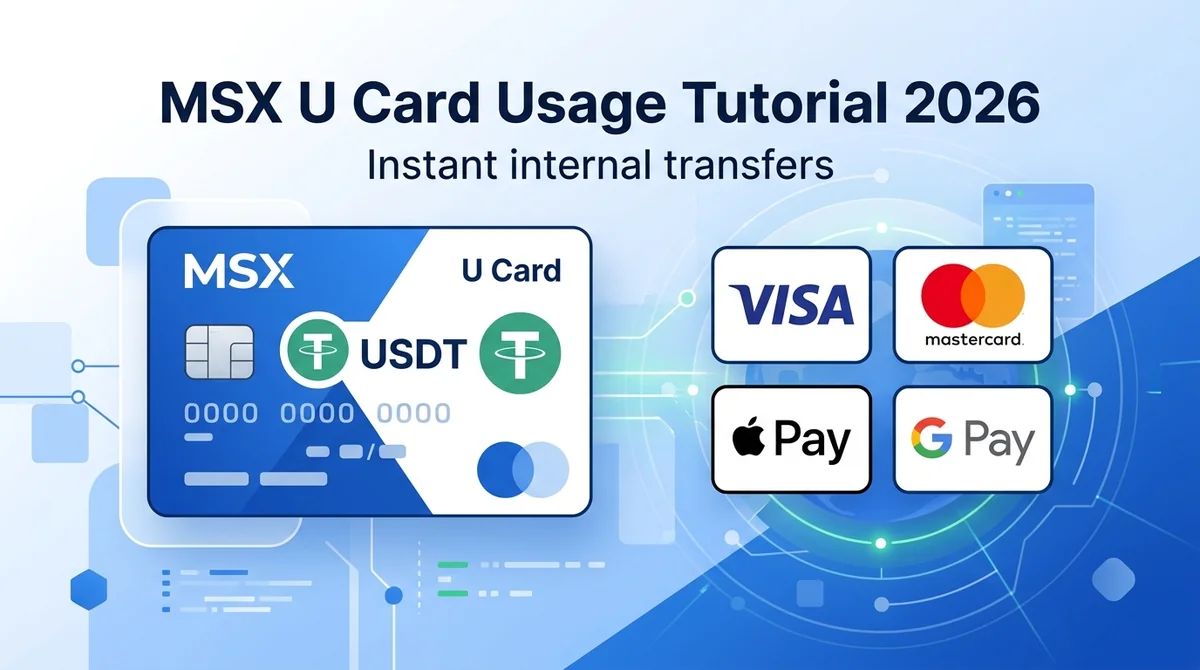
This MSX U Card tutorial 2026 covers the full process of USDT top-up and spending, global consumption, crypto ATM withdrawals, and global remittances. The MSX U Card is a cryptocurrency spending card that bridges digital assets and real-world payments, allowing you to top up USDT with one click and spend instantly. Transfers between trading, funding, and card accounts are completed in seconds. Key highlights:
- MSX U Card: A crypto spending card supporting USDT top-ups, global spending, ATM withdrawals, and fiat remittances, with instant internal transfers.
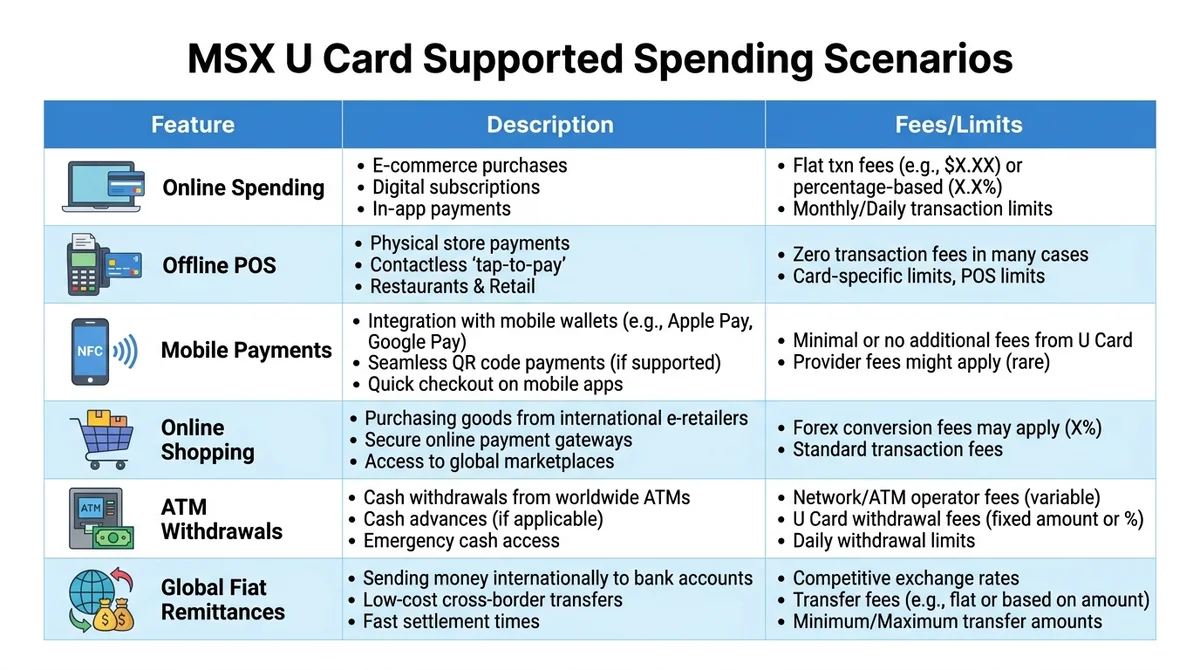
- Spending scenarios: Online merchants, offline POS, Apple Pay/Google Pay mobile payments, online shopping, ATM withdrawals, and global remittances.
- Security & compliance: KYC/KYT risk control, MSB compliance license, 95% of digital assets in multi-signature cold wallets, user-held private keys.
What is the MSX U Card? What are its core features?
As of 2026, the MSX U Card is a cryptocurrency spending card supporting USDT top-ups, global spending, ATM withdrawals, and fiat remittances, with instant internal transfers. Users can pay directly without manually selling USDT.
How does the U Card connect digital assets to real-world spending?
The U Card maps your USDT balance from your platform account to a spendable card. At payment, the system converts USDT to local fiat at the real-time exchange rate for settlement. Thanks to the MSX account system, trading, funding, and card accounts transfer internally in seconds, eliminating the wait of withdrawing from a traditional exchange and then depositing again.
What spending scenarios does the U Card support?
| Feature | Description | Fees/Limits (subject to official) |
|---|---|---|
| Online spending | Supports payments at online merchants that accept major international card networks (e.g., VISA/Mastercard) | Exchange rate calculated in real time; foreign currency conversion fees subject to official info |
| Offline POS payments | Swipe card at physical merchants | Same as above |
| Mobile payments | Bind to Apple Pay, Google Pay | Same as above |
| Online shopping | E-commerce platforms and subscription services | Same as above |
| ATM withdrawals | ATMs supporting the card network, automatic conversion to local fiat | Withdrawal fees determined by issuing bank and ATM operator; MSX may charge extra; check platform fee page before use |
| Global fiat remittances | Convert USDT to fiat and send to bank accounts worldwide | Remittance fees include exchange rate spread and handling fees, as shown in real time on the official remittance page |
Platform security and compliance
The platform integrates KYC/KYT risk control, holds an MSB compliance license, and stores 95% of digital assets in multi-signature cold wallets, with user-held private keys. Users must complete KYC identity verification before using the U Card and comply with local regulations.
How to top up USDT to the MSX U Card?
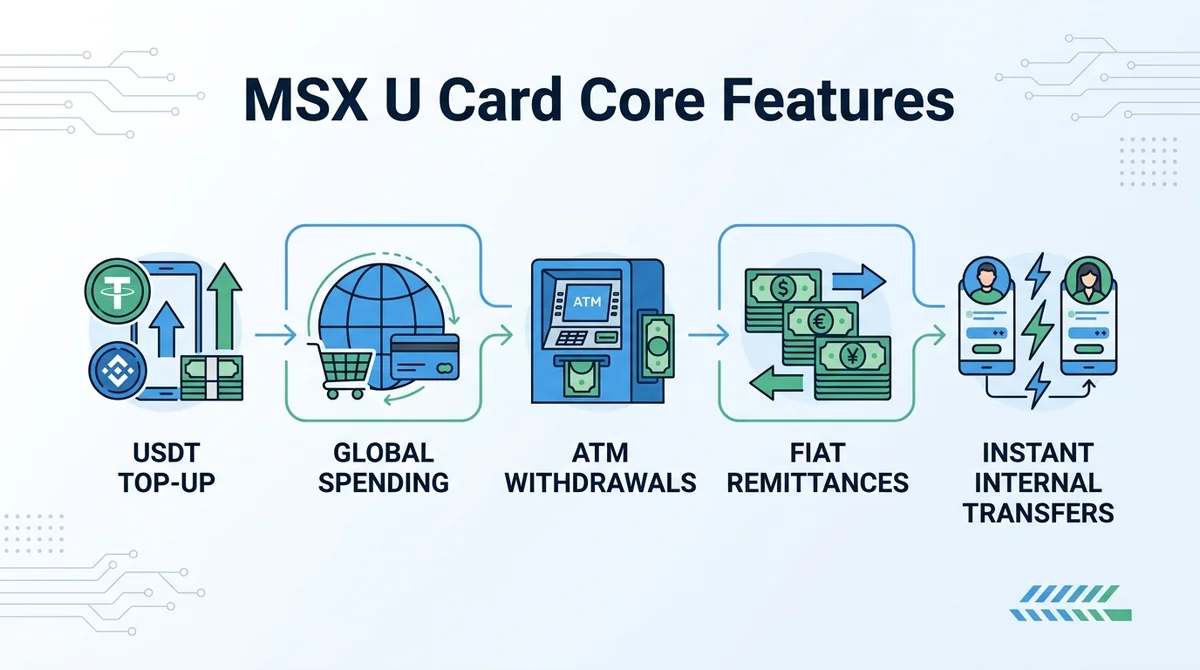
To top up USDT to the MSX U Card, simply transfer USDT from your platform account to your U Card account with one click, and it will be immediately available for spending. This is the first step in USDT top-up and spending. Top-up means transferring USDT that has already been deposited from your trading or funding account to your U Card spending balance, all done within the App.
What do I need to prepare before top-up?
Before topping up, ensure the following:
- You have completed MSX account registration and passed identity verification (KYC).
- Your platform account has an available USDT balance; if not, you need to deposit fiat or other cryptocurrencies first. For USDT TRC20 deposits, refer to the Cheapest Way to Deposit USDT via TRC20 on MSX Tutorial.
- Your U Card account is activated and the card status is normal.
Detailed top-up steps
- Open the MSX App or official website and log in.
- Navigate to the "U Card" or "Credit Card" page.
- Select "Top Up" and enter the amount of USDT to transfer.
- Confirm the transfer from your trading or funding account to your U Card account.
- After submission, the system processes instantly, and the top-up is available in real time (internal transfers do not involve on-chain transactions and typically require no blockchain confirmation).
As of 2026, internal transfers between trading/funding/card accounts on the MSX platform are completed in seconds and usually do not incur on-chain gas fees. Whether internal transfer fees are charged is subject to MSX's official rate schedule.
How to use the MSX U Card for global spending?
The MSX U Card supports global online and offline spending. You can bind the U Card to mobile payment or swipe directly to pay with your USDT balance. Global spending means the card can be used at merchants that accept major card networks, with the system deducting from your USDT balance at the real-time exchange rate.
How does online spending work?
Online spending is similar to using a regular bank card:
- On the checkout page of online merchants that accept major international card networks (subject to MSX official info), select card payment.
- Enter your U Card number, expiry date, CVV, etc., to complete payment.
- The system automatically deducts the corresponding fiat amount from your USDT balance.
- After successful payment, you can view the transaction record in the MSX App.
How do offline POS and mobile payments work?
Offline use is equally convenient:
- POS payment: Swipe your card directly at the merchant's POS terminal, then enter your PIN or sign to confirm.
- Mobile payment: Bind the U Card to Apple Pay or Google Pay, and pay by tapping your phone at NFC-enabled merchants.
- Online shopping: Same as online spending; card details can be saved in your regular e-commerce accounts.
The exchange rate at purchase is calculated in real time by the card network and MSX platform; you do not need to convert currencies manually. Specific exchange rates and any foreign currency conversion fees are subject to MSX official info.
How to use the MSX U Card for crypto ATM withdrawals?
When using the MSX U Card for crypto ATM withdrawals, the card automatically converts USDT to local fiat at ATMs that support the card network. Users should be aware of possible withdrawal fees. Crypto ATM withdrawal means withdrawing cash from an ATM with a card network logo using the U Card, with the amount deducted from your USDT balance in real time.
Which ATMs support U Card withdrawals?
As long as the ATM supports the card network associated with your U Card (specific network subject to MSX official info), you can usually withdraw. Supported regions and withdrawable currencies are subject to MSX official info; we recommend checking the card's supported networks in the App before traveling.
Withdrawal steps and limits
- Insert your U Card into a local ATM, select the withdrawal amount and currency.
- Enter your card PIN to complete identity verification.
- The system converts USDT to local fiat at the real-time exchange rate and dispenses cash.
- After successful withdrawal, the MSX App will show the deduction record and fee details.
Withdrawal limits and fees are determined by the issuing bank and ATM operator, and MSX may charge additional withdrawal fees. Be sure to check the latest fee schedule on the MSX platform before making a withdrawal to avoid losses from unclear fees. For more information on MSX fee calculation, refer to MSX Fee Calculation Tutorial 2026.
How to use the MSX U Card for global remittances?
The MSX U Card supports global remittances, allowing you to convert USDT to fiat and send it to bank accounts worldwide for efficient cross-border transfers. Global remittance means initiating a cross-border transfer from your U Card account, with the recipient being a bank account and the funds credited in local fiat.
How to remit to a bank account?
- In the MSX App, go to the "U Card" or "Remittance" page.
- Enter the recipient's bank account details, including account name, account number, SWIFT/BIC, or local clearing code.
- Select the remittance currency and amount; the system will show the estimated arrival amount and fees.
- After confirmation, the corresponding fiat amount is deducted from your USDT balance, and MSX automatically completes the conversion and transfer.
Remittance arrival time and fees
Arrival time depends on the recipient's region and bank processing speed, usually fast; some countries or currencies may experience delays due to intermediary bank processing. Remittance fees include exchange rate spread and handling fees. Specific rates are shown in real time on the MSX official remittance page. We recommend verifying recipient details before remitting to avoid returns.
FAQ
Which cryptocurrencies does MSX U Card support for top-up?
The MSX U Card primarily supports USDT top-up and spending. Users can transfer USDT from their account to the U Card account with one click. Other cryptocurrencies need to be converted to USDT first. Supported currencies are subject to MSX official page. As of 2026, the platform promotes USDT as the main top-up and spending currency for the U Card, with possible expansion to more stablecoins in the future.
How long after topping up can I spend?
Top-ups are completed through internal transfers on the MSX platform, credited instantly and usable immediately, usually without waiting for blockchain confirmation. Internal transfers do not involve on-chain transactions, so no gas fees are incurred, and they are not affected by blockchain network congestion. Even during peak times, the top-up can be used immediately after success, suitable for urgent payment scenarios.
Will I be charged a currency conversion fee when using the U Card overseas?
At purchase, the system converts USDT to local fiat at the real-time exchange rate. Whether a foreign currency conversion fee is charged depends on MSX official rates. We recommend checking the latest fee info in the App before spending. Different card networks may have different policies on foreign currency conversion fees; users can view the actual deduction details in transaction records.
What is the ATM withdrawal fee?
ATM withdrawal fees are determined by the issuing bank and ATM operator, and MSX may charge additional withdrawal fees. Specific rates must be checked on the MSX platform's latest fee page before withdrawing, as they may vary by region. We recommend users check supported networks and fee info in the App before traveling to avoid high fees.
Is the MSX U Card safe? What security measures does the platform have?
The MSX U Card relies on the platform's KYC/KYT risk control system and MSB compliance license, with 95% of digital assets stored in multi-signature cold wallets and user-held private keys. The platform promises that all listed coins have a physical on-chain reserve ratio strictly greater than 100% (Proof of Reserves), and integrates hot-cold wallet isolation to reduce asset risk. Users must complete KYC identity verification and keep card information secure.
Which countries or regions does the MSX U Card support?
The MSX U Card supports online/offline spending, ATM withdrawals, and remittances in most countries and regions worldwide, as long as local merchants and ATMs support the card network. Specific supported regions are subject to MSX official info; we recommend users check the card network coverage in the App before traveling. Some sanctioned or compliance-restricted regions may not be usable, and users should verify themselves.
Does the MSX U Card have an issuance fee or annual fee?
The MSX U Card issuance fee and annual fee policy are subject to the official MSX page. Typically, crypto spending cards may charge an issuance fee or monthly fee, but whether they are charged needs to be checked in official info. We recommend users understand all fee items before applying to avoid hidden costs.
Is it safe to use third-party channels to deposit funds and trade cryptocurrencies?
We recommend prioritizing MSX official channels for deposits. MSX integrates KYC/KYT risk control and holds an MSB compliance license, with 95% of digital assets in multi-signature cold wallets and user-held private keys. Using unofficial third-party channels carries financial risk and should be evaluated at your own discretion.
This article is produced by the MSXGO editorial team, AI-assisted, and reviewed through an editorial process. Fee rates and figures are subject to each platform's latest official announcements.
FAQ
Which cryptocurrencies does MSX U Card support for top-up? ▼
The MSX U Card primarily supports USDT top-up and spending. Users can transfer USDT from their account to the U Card account with one click. Other cryptocurrencies need to be converted to USDT first. Supported currencies are subject to MSX official page.
How long after topping up can I spend? ▼
Top-ups are completed through internal transfers on the MSX platform, credited instantly and usable immediately, usually without waiting for blockchain confirmation.
Will I be charged a currency conversion fee when using the U Card overseas? ▼
At purchase, the system converts USDT to local fiat at the real-time exchange rate. Whether a foreign currency conversion fee is charged depends on MSX official rates. We recommend checking the latest fee info in the App before spending.
What is the ATM withdrawal fee? ▼
ATM withdrawal fees are determined by the issuing bank and ATM operator, and MSX may charge additional withdrawal fees. Specific rates must be checked on the MSX platform's latest fee page before withdrawing, as they may vary by region.
Is it safe to use third-party channels to deposit funds and trade cryptocurrencies? ▼
We recommend prioritizing MSX official channels for deposits. MSX integrates KYC/KYT risk control and holds an MSB compliance license, with 95% of digital assets in multi-signature cold wallets and user-held private keys. Using unofficial third-party channels carries financial risk and should be evaluated at your own discretion.
Finished reading? Ready to try trading?
Tokenized stocks/ETFs, crypto spot, and perpetual futures in one account — perp maker 0.02% / taker 0.045%, RWA spot buy 0.3% / sell 0.
Free sign-up · 3 quick steps